 Halin
Halin How to Pay BIR Taxes Online (2026): GCash, Maya, LandBank & More
October 22, 2026 · 7 min read · Halin AI Team
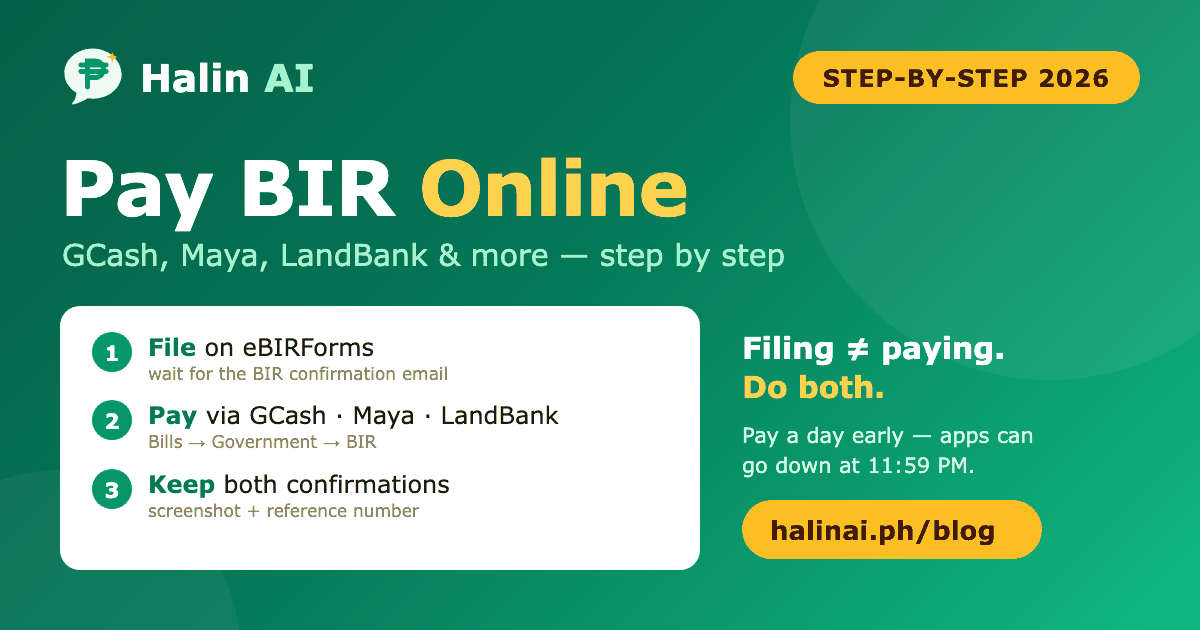
You've computed your tax and filed your return. Now you need to actually pay — ideally without lining up at a bank. The good news: you can pay BIR taxes from your phone in a few minutes. The catch: filing and paying are two separate steps, and doing only one of them is one of the most common ways freelancers and small business owners end up with penalties.
First: file, then pay
If you use eBIRForms (most freelancers and sole proprietors do), the order is:
- File your return in eBIRForms — e.g. 1701Q or 2551Q — and wait for the BIR email confirmation.
- Pay the tax due through one of the channels below, on or before the deadline.
- Keep both — the filing confirmation and the payment confirmation.
Filing without paying leaves you with an unpaid balance that accrues interest. Paying without filing means the BIR has money but no return — you're still treated as a non-filer. You need both.
If your tax due is ₱0 (e.g. a zero-income quarter), you only file. There's nothing to pay.
Your online payment options
The BIR accepts payments through several electronic channels. The common ones for individuals:
- GCash — via Bills → Government → BIR. The most convenient for most people.
- Maya — via Bills → Government → BIR.
- LandBank Link.BizPortal — the BIR's long-standing online payment portal. Accepts payment from various banks and e-wallets.
- DBP PayTax Online — lets you pay using a debit or credit card.
- Online banking — several authorized agent banks (e.g. UnionBank) offer BIR payment in their apps.
Not into online payments? You can still pay over the counter at an authorized agent bank (AAB). Under the Ease of Paying Taxes Act (RA 11976), you can generally file and pay at any AAB or RDO — not just the one where you're registered.
Channel names, menus and convenience fees change from time to time, so check the current list on the BIR website before you pay.
Step by step: paying with GCash or Maya
- Open the app and go to Bills (Pay Bills) → Government → BIR.
- Enter your details exactly as on your return:
- TIN — usually 9 digits plus the branch code (00000 for most individuals)
- RDO code — the 3-digit code on your Certificate of Registration (Form 2303)
- Form type — e.g. 1701Q, 2551Q, 1701A
- Tax type and ATC — e.g. income tax (IT) or percentage tax (PT)
- Return period — the quarter or year you're paying for
- Amount — the exact tax due from your return
- Review everything carefully. A wrong TIN, form, or period can send your payment to the wrong place — fixing it later means letters to your RDO.
- Confirm and pay. Screenshot the receipt and save the email/SMS confirmation with the reference number.
Step by step: LandBank Link.BizPortal
- Go to the Link.BizPortal site and choose Bureau of Internal Revenue as the merchant.
- Select the payment type (e.g. eBIRForms payment) and fill in your TIN, RDO, form, tax type, period, and amount.
- Choose your payment method (bank account, debit card, or e-wallet, depending on what's available) and complete the payment.
- Save the confirmation page and email.
What to keep as proof
Store these together, by quarter, with your books of accounts:
- The eBIRForms filing confirmation email
- A copy of the return you filed
- The payment confirmation (screenshot + email/SMS with reference number)
These are what you'll show if the BIR ever says you didn't file or pay — and what banks and embassies may ask for as proof of income.
Mistakes that lead to penalties
- Paying at 11:59 PM on the deadline. Apps go down and payments can take time to post. Pay at least a day or two early.
- Filing but forgetting to pay (or the reverse). Do both, same day.
- Wrong form or period. Paying your Q3 tax under Q2 makes Q3 look unpaid.
- Not filing zero returns. If you're registered, you file every quarter — even with ₱0 income. Missed zero returns are how open cases pile up.
- Losing the confirmation. Without proof, it's your word against the system.
Late payment brings a surcharge, interest, and possibly a compromise penalty. The Ease of Paying Taxes Act reduced these for micro and small taxpayers, but they still add up — and they apply even when the amount you owed was small.
Upcoming payment deadlines
- October 25 — 2551Q for Q3 (if you're on graduated rates and non-VAT)
- November 15 — 1701Q for Q3
- April 15 — annual income tax return (1701 or 1701A)
The full list is in our 2026 BIR tax calendar. If tax was withheld from you, subtract your Form 2307 credits before paying — so you don't overpay.
Know the amount before you open GCash
The hardest part of paying isn't the app — it's knowing the right number. Halin AI keeps your sales and expenses as you go (just chat them in Bisaya, Tagalog, or English), computes your estimated tax for the quarter, pre-fills your 1701Q and 2551Q worksheets, and reminds you before every deadline so you're never paying at 11:59 PM. 100% free during early access — start here.
Common questions
Can I pay BIR taxes with GCash?
Yes. In GCash, go to Bills → Government → BIR, enter your TIN, RDO, form, tax type, period and amount, then pay. Save the receipt and reference number.
Do I need to file before paying?
If you use eBIRForms, yes — file first and wait for the BIR confirmation email, then pay. Both must be done by the deadline.
How long does it take for an online payment to reflect?
It varies by channel and can take a few days. That's why you should pay early and keep your confirmation — the date of your payment is what counts.
Is there a fee for paying online?
Some channels charge a small convenience fee; others don't. Check the fee shown in the app before confirming.
What if I paid the wrong amount or form?
Don't pay again under the correct form until you've sorted it out. Contact your RDO with your payment proof — they can advise on correcting or applying the payment.
Disclaimer: General information only, not tax or legal advice. Payment channels, menus, fees and procedures change — verify at bir.gov.ph or with your RDO, and have a CPA review your filings.
Gusto mo ng bookkeeper na kasing-dali ng chat?
I-chat mo lang ang benta mo — Bisaya, Tagalog, o English — at si Halin na ang bahala sa libro, tax computation, at BIR reminders. Libre habang early access!
Simulan — libre 🚀Basahin din:
- BIR Form 2307 Explained: The Tax You Already Paid (and How to Claim It)
- Halin Meaning in English: The Bisaya Word for Sales (Not Profit)
- Your Year-End Tax Checklist: What to Do Before December 31 (Philippines, 2026)
- Haven't Been Filing? Understanding BIR Open Cases and How People Catch Up (2026)
- Crossing ₱3 Million: What Happens When Your Business Outgrows Non-VAT Status (2026)
- What Business Expenses Can You Actually Deduct? A Philippine Freelancer Guide (2026)
- Invoice vs Official Receipt: What Filipino Freelancers and Small Businesses Must Issue Now (2026)
- No Payslip? How Freelancers and Small Business Owners Can Prove Income in the Philippines
- OSD: The 40% Tax Deduction Most Filipino Freelancers Have Never Heard Of (2026)
- BIR Books of Accounts Explained: What They Are, Which Ones You Need, and How to Keep Them (2026)
- Is Your Business Actually Making Money? How to Know (Without an Accountant)
- How to File BIR Form 1701Q: Step-by-Step Guide for Freelancers & Sole Proprietors (2026)
- Freelance Tax in the Philippines (2026): How Much Do You Actually Pay?
- Paano Mag-simula ng TikTok Shop sa Pilipinas (2026): Setup, Requirements, at Buwis ng Online Sellers
- BIR Tax Deadlines 2026: Kumpletong Calendar para sa Freelancers at Small Business Owners
- Bookkeeping for Freelancers and Small Businesses in the Philippines: The Simple 2026 Guide
- Paano Mag-file ng BIR Form 2551Q: Step-by-Step Guide para sa Freelancers at Small Business (2026)
- 8% Flat Tax vs Graduated Rates: Alin ang Mas Sulit para sa Freelancers? (2026)
- Paano Mag-register sa BIR bilang Freelancer o Online Seller: Complete Guide (2026)